What Happens When I Move, Rename, or Delete a Page
What do moving, renaming, and deleting pages have in common?
- Changes (or removes) the link!
- As soon as you do it, Cascade will automatically unpublish the page. It will not be published in the new location until you do so yourself.
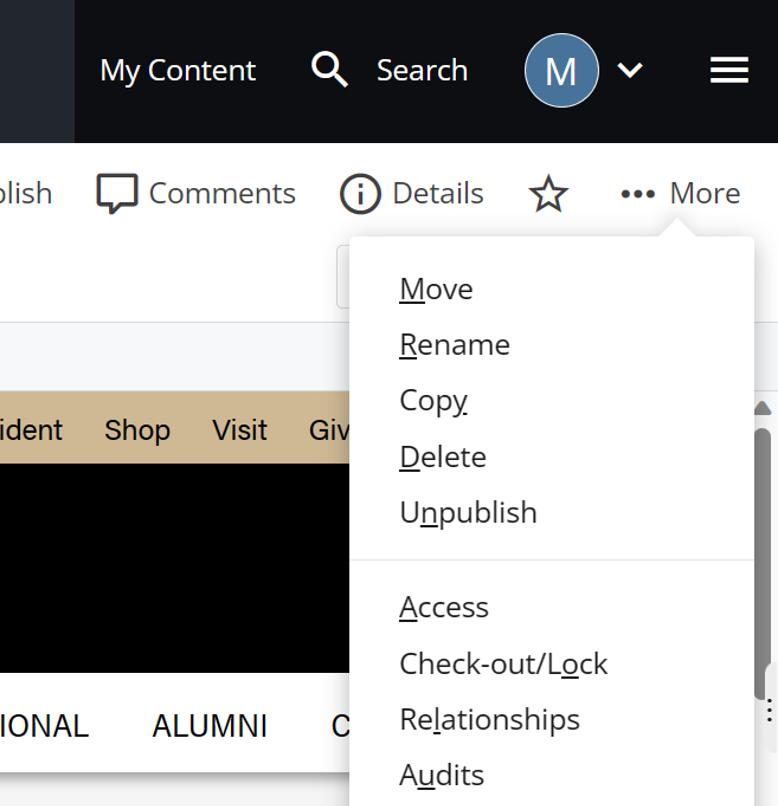
Deleting a Page
Process for deleting a page:
- Check the Relationships view
- Edit and republish each relationship to remove existing links to the current page
- Delete the page (More > Delete). Cascade will automatically unpublish it.
- Republish all pages with affected side navigation
Moving or Renaming a Page
Process for moving or renaming a page:
- Move or rename the page. Cascade will automatically unpublish the page and update any links to it.
- Check the Relationships view
- Republish all relationships (because the links have changed)
- Republish the moved/renamed page
- Republish all pages with affected side navigation
Copying a Page
You can duplicate an existing page
- More > Copy
This is useful if you need to create a page very similar to an existing one
