Scheduling with CLA Career Initiatives
Getting connected with the Career Initiatives team is a crucial step in planning your professional journey. To make the scheduling process easy and intuitive, this guide walks you through step-by-step instructions for scheduling an appointment using Purdue’s scheduling system.
If you have any questions as you are scheduling an appointment, please email the College of Liberal Arts Career Initiatives team.
- Search for BoilerConnect in your search engine and log in using your Purdue login information.

- Once you have logged in, click the ‘Make an Appointment’ button in the top right-hand corner.
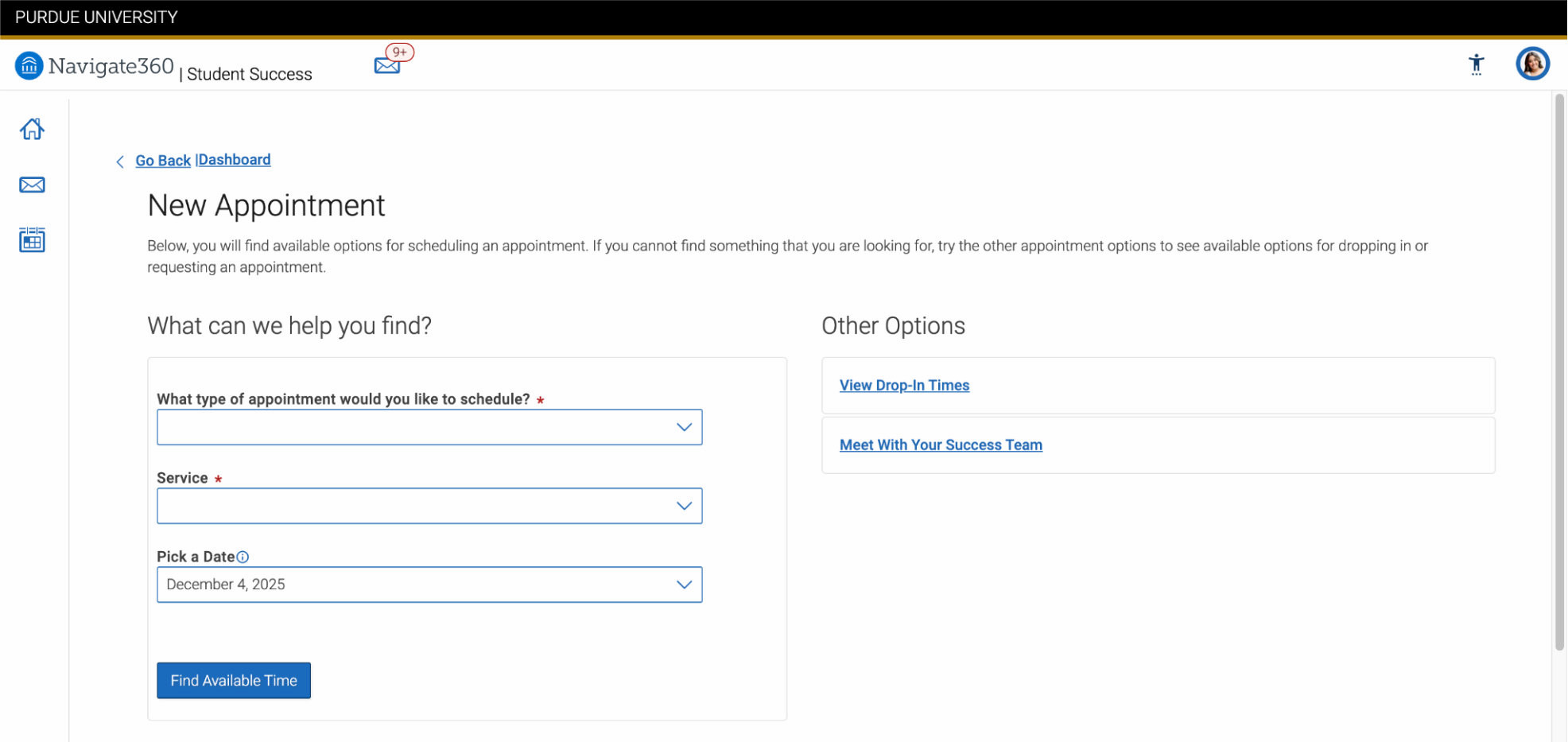
- You will then be taken to this screen.
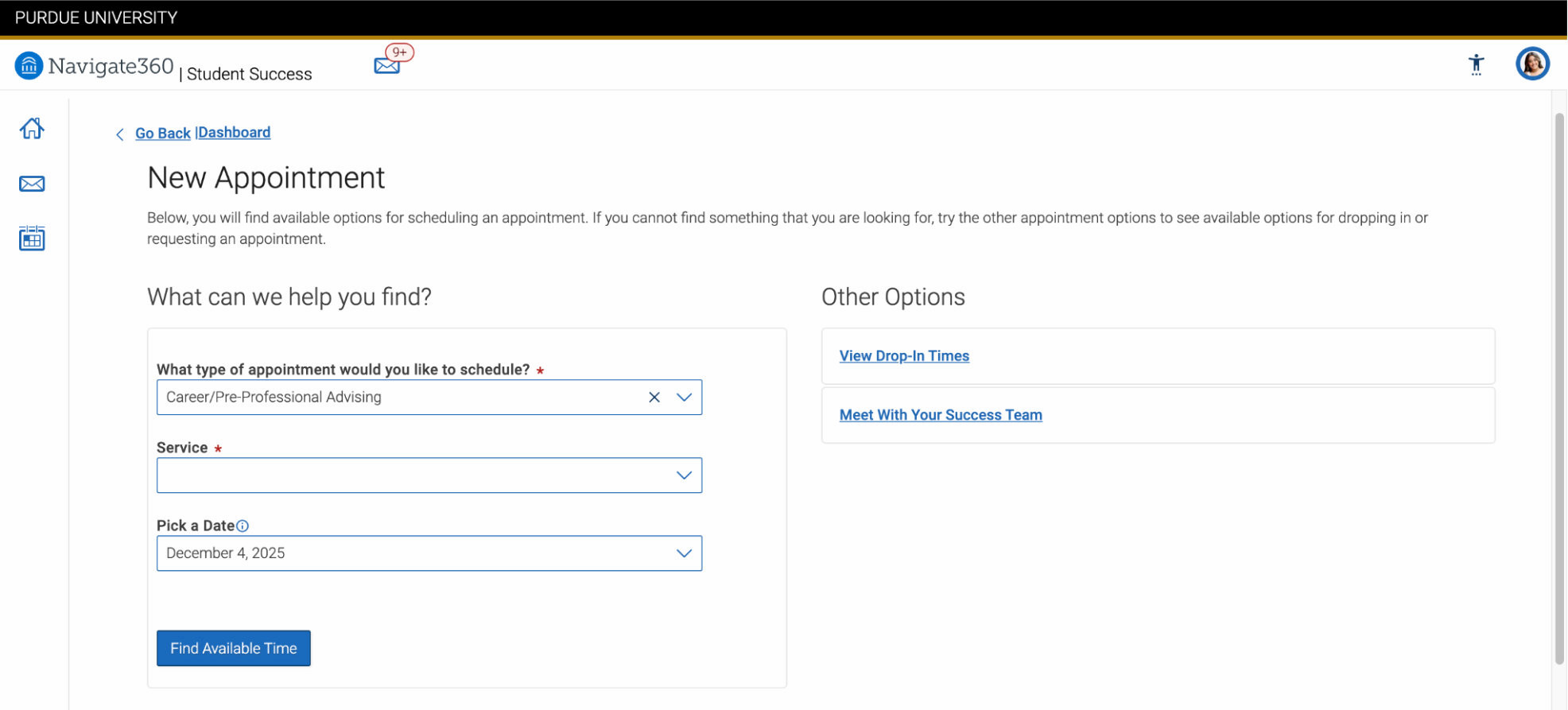
- Select ‘Career/ Pre-Professional Advising’ as the type of appointment you would like to schedule.
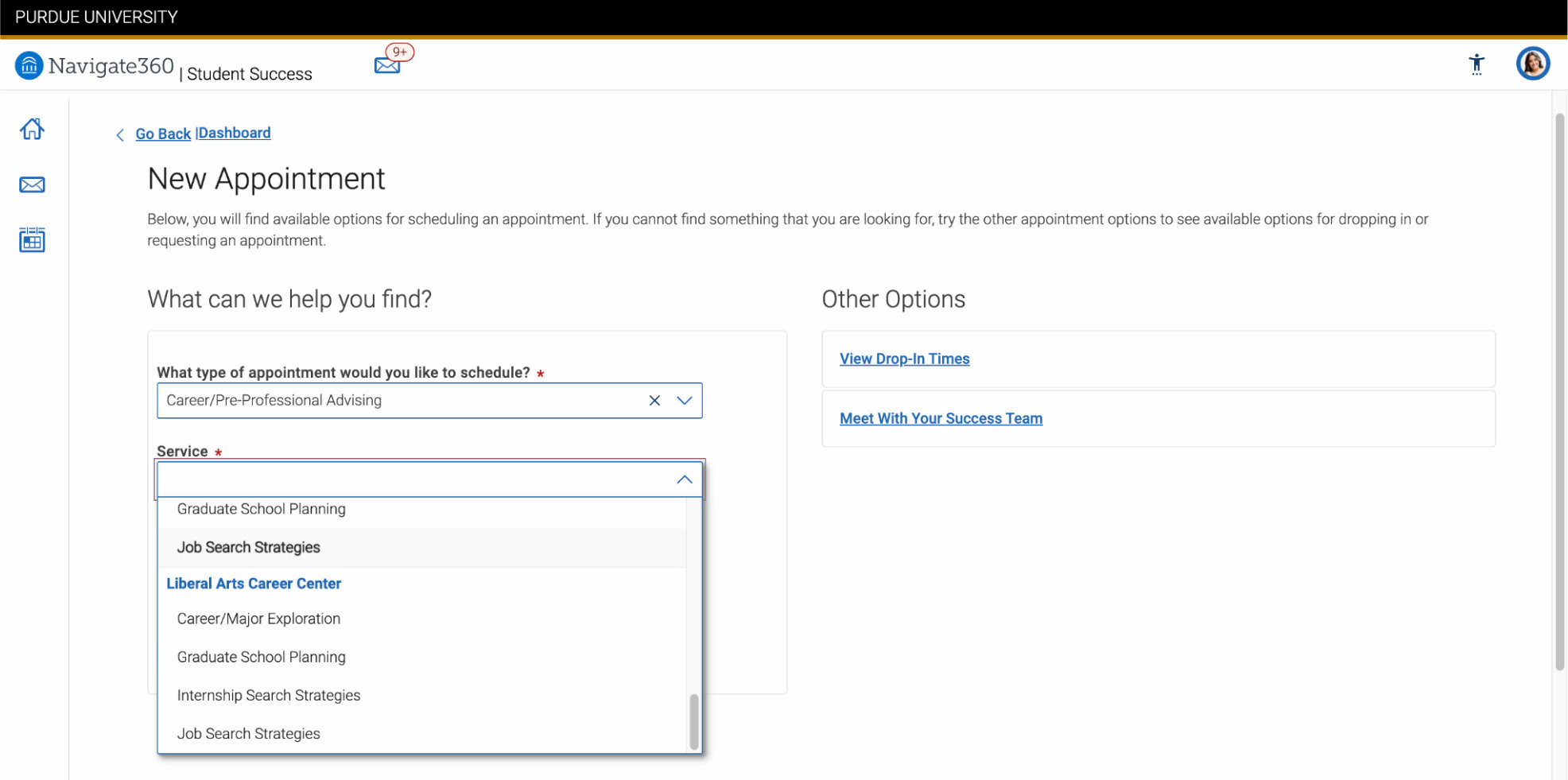
- Scroll to the bottom of the service options and pick a service from the ‘Liberal Arts Career Center’.
NOTE: You must select from the ‘Liberal Arts Career Center’. If you do not, you will not be shown options for the Liberal Arts Career Initiatives team.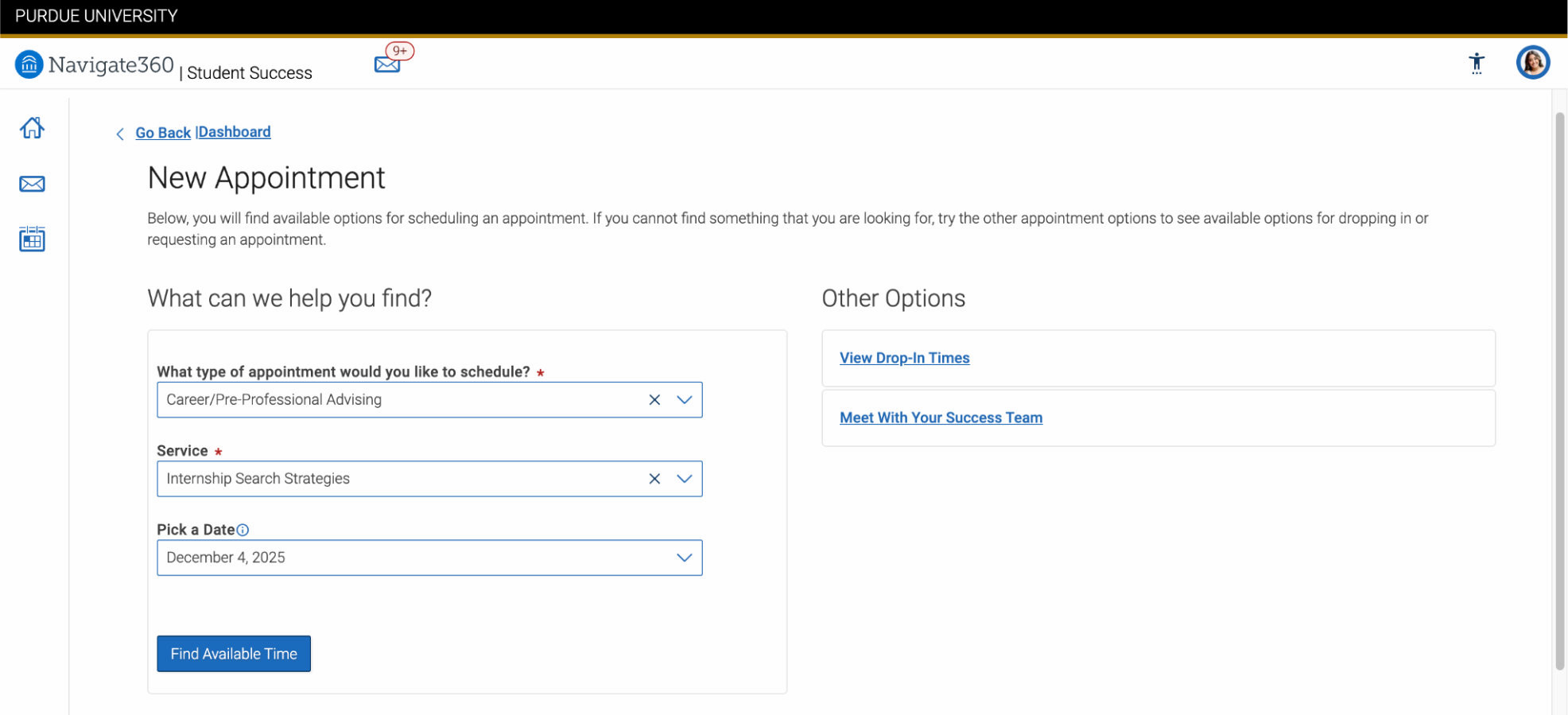
- After selecting your preferred service, your page should look similar to this.
- Career/Major Exploration: Help students explore their strengths, interests, and long-term goals to make informed academic and career decisions.
- Graduate School Planning: We help students strengthen their personal statements, CVs, writing samples, and interview skills so they feel confident and prepared for competitive admissions.
- Internship Search Strategies: Coaching that covers resume and CV development, networking, LinkedIn, and using Purdue resources.
- Job Search strategies: Prepare students for the job market with resume and portfolio support, personal branding, and interview practice.
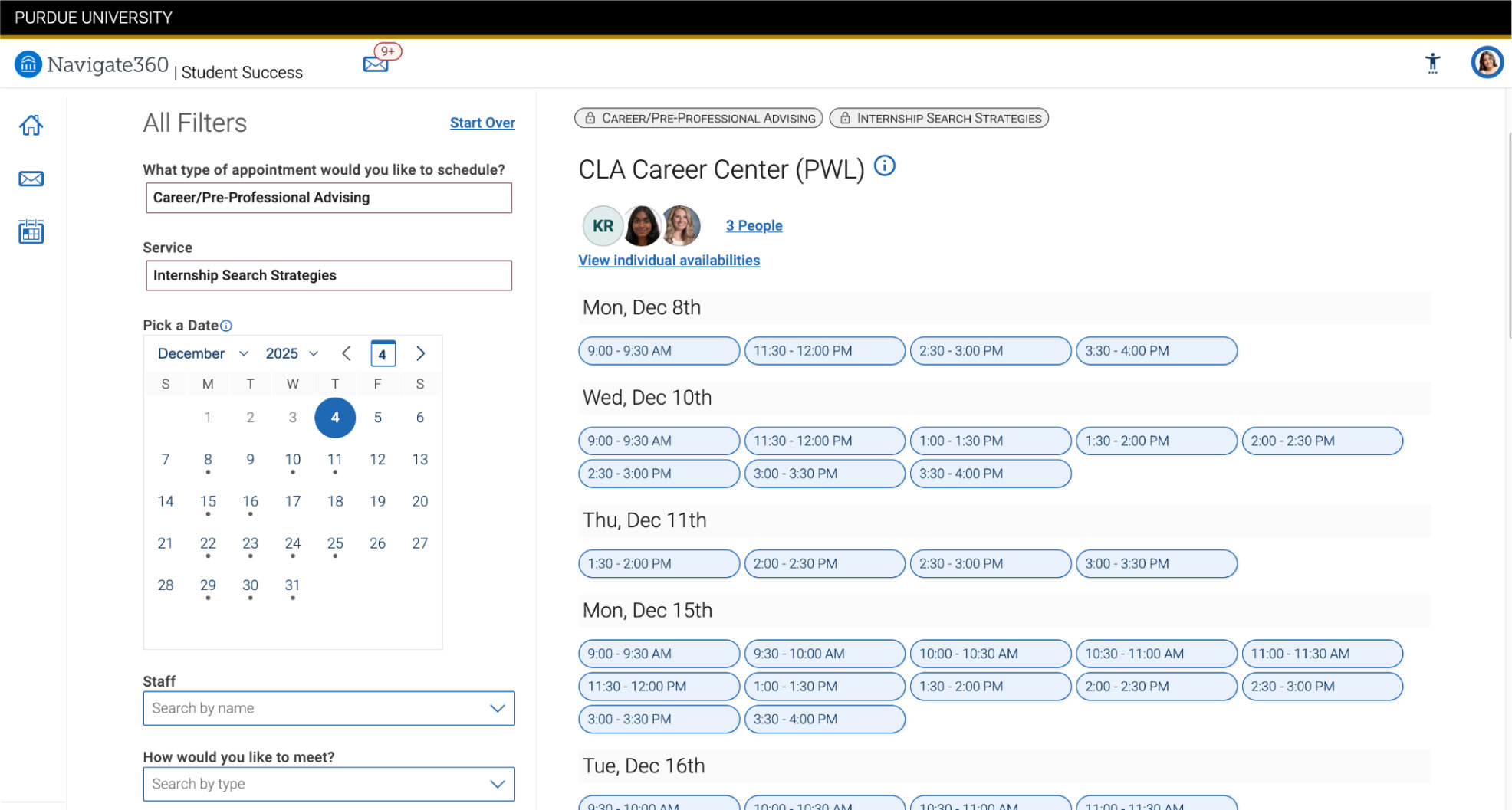
- You will be given a list of available times to select from.
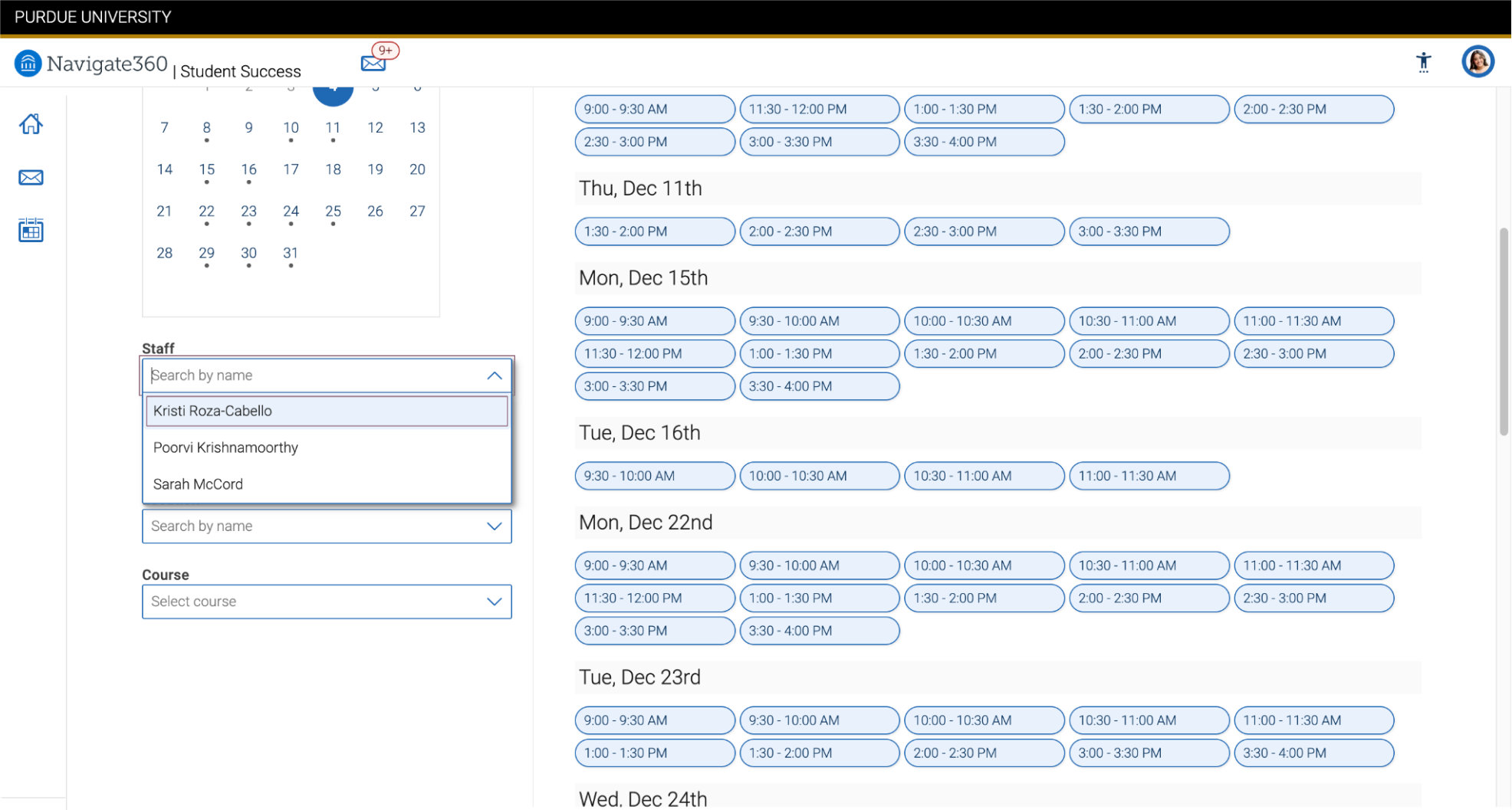
- If you prefer to book with a particular staff member, you can filter your search at the bottom of the page.
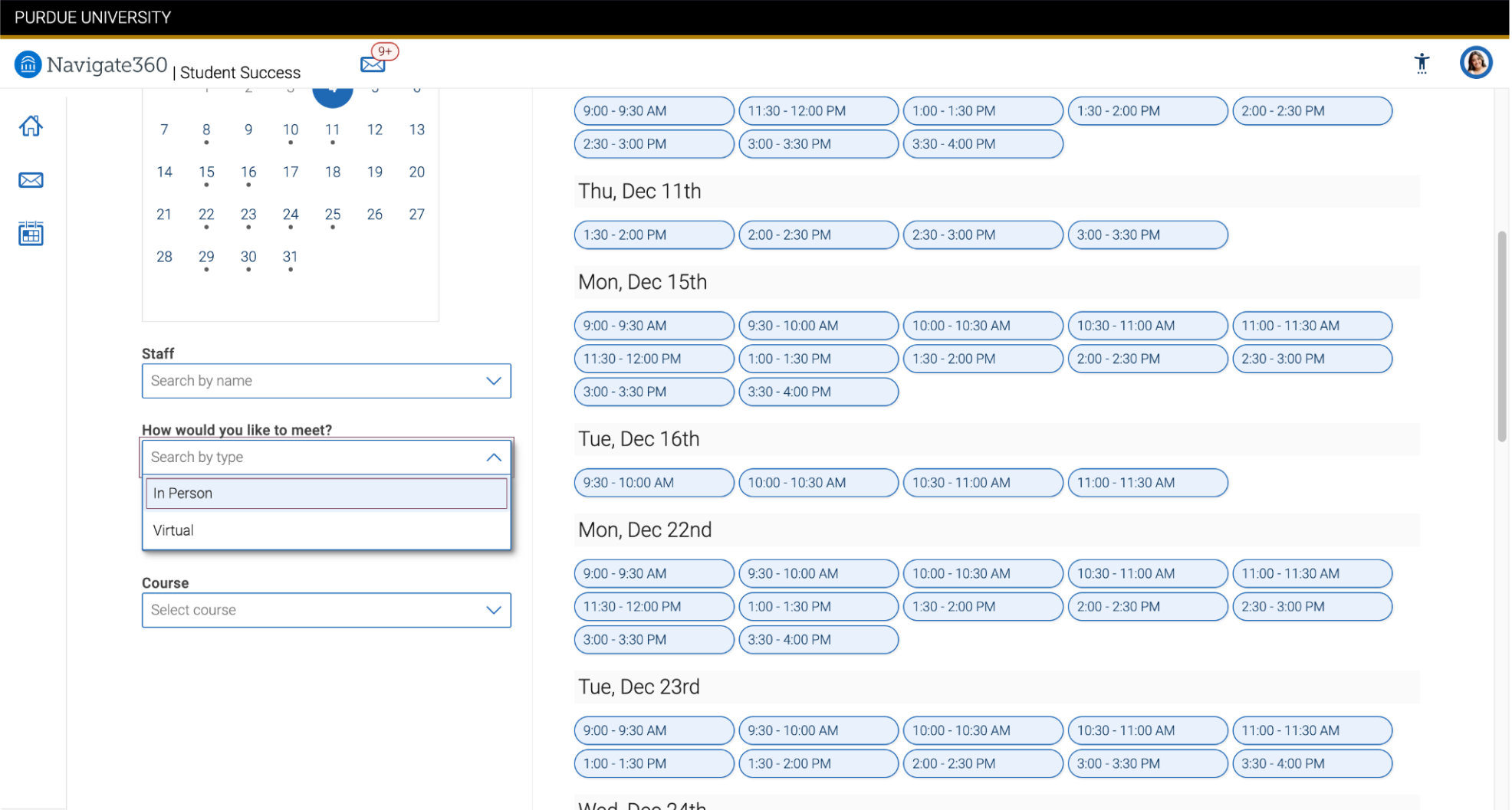
- You can then filter to either a virtual or an in-person appointment.
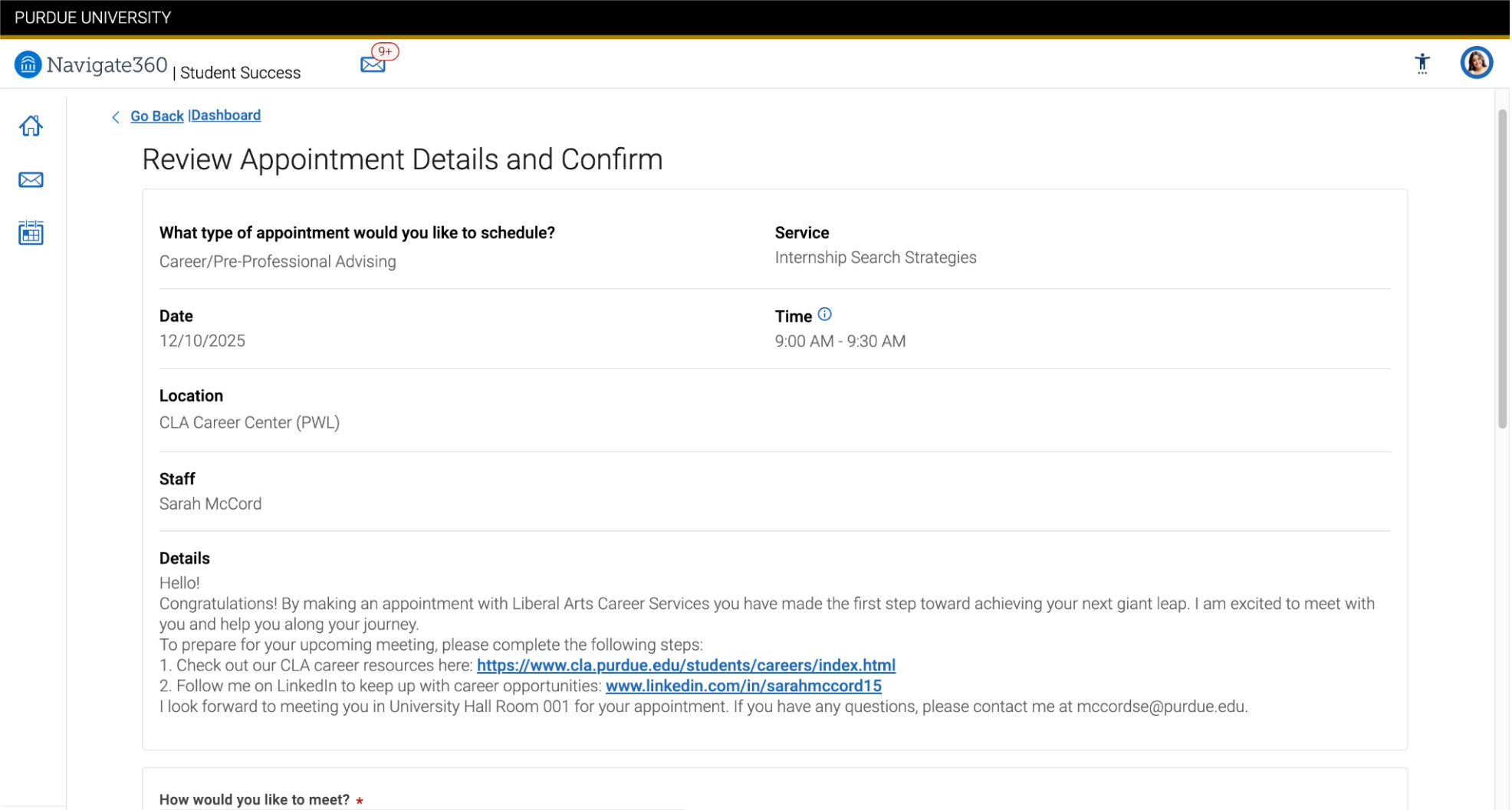
- After selecting your time, review your appointment details carefully before confirming.
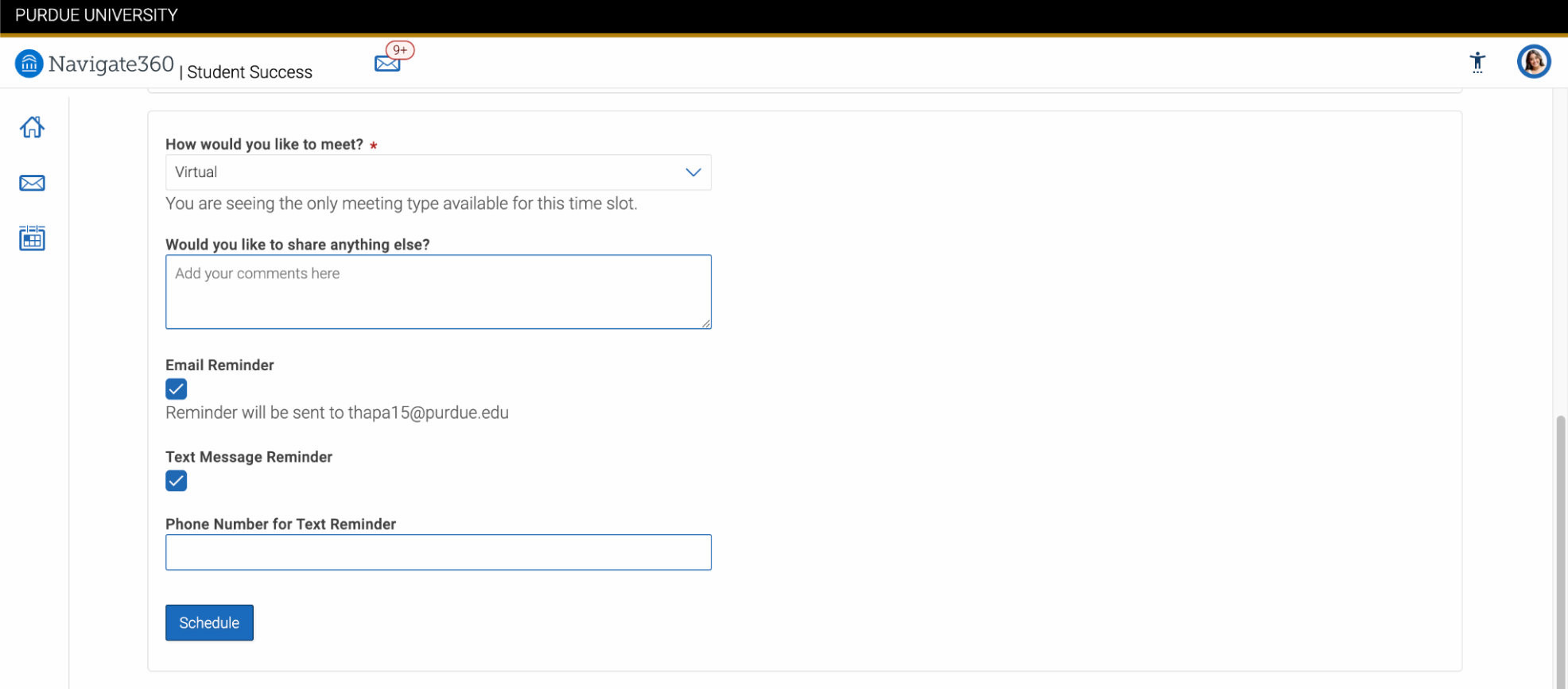
- Hit Schedule!
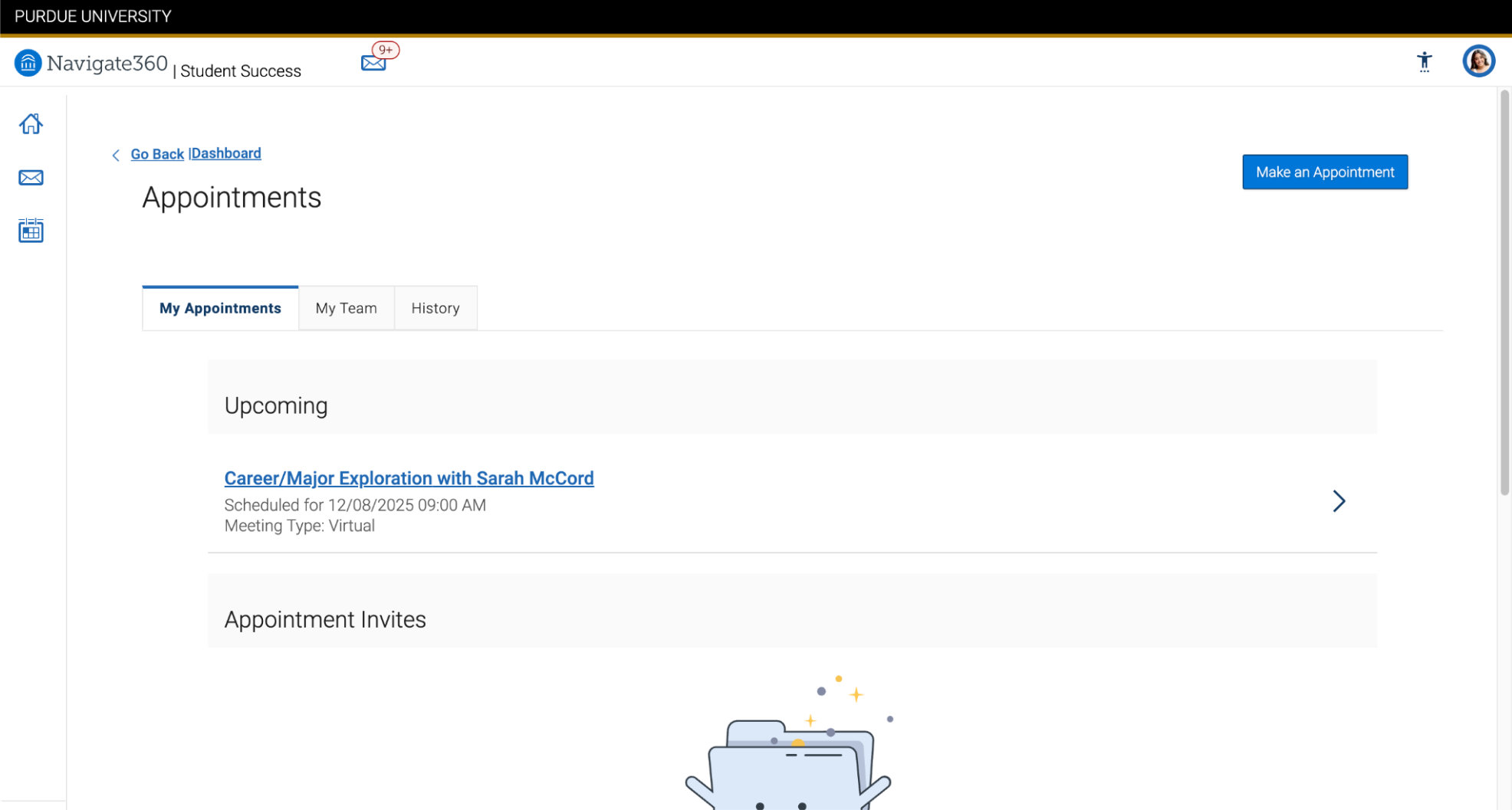
- You can view your scheduled upcoming appointments on the homepage.