Page and File Naming Conventions
Aim for file naming clarity and consistency across all your web content. A well-defined naming convention makes your content easy to find and categorize. The College of Liberal Arts (CLA) web naming conventions include allowing only lowercase letters, avoiding spaces and special characters and punctuation, and separating words with hyphens and not underscores.
Logic Behind These Decisions
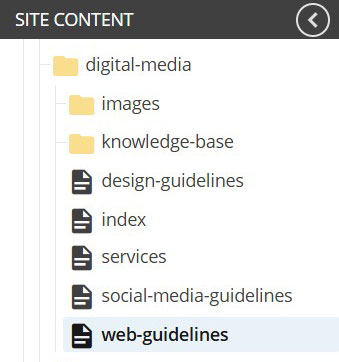
- Lower case letters: Almost all modern browsers are case-insensitive (treating "Filename.txt" and "filename.txt" as the same file). Some Linux based systems are case sensitive and will treat the previous example as 2 separate files. To avoid confusion, CLA uses all lowercase letters in filenames.
- Spaces: Browsers do not like spaces. They will convert a space to "%20" in the filename (e.g., "course syllabus.pdf" becomes "course%20syllabus.pdf").
- Special characters and punctuation: Some characters have specific functions in URLs. If these characters are used, they could be misinterpreted and break the URL's functionality. For example:
- / separates directories or paths.
- ? indicates the start of a query string.
- & separates multiple parameters within the query string.
- = assigns values to parameters.
- # links to a specific section (anchor) within a page.
- Similarly, other characters like <, >, {, }, |, \\, ^, ~, [, ], and ` can cause issues.
- Use hyphens: Search engines, particularly Google, treat hyphens as word separators. This means that a URL like my-course-page is interpreted as "my course page." Underscores, on the other hand, have often been treated as word joiners, meaning my_course_page could be interpreted as a single word, "mycoursepage,"
Using these best practices will prevent technical issues, enhance search engine readability, and ensure compatibility across browsers and operating systems.